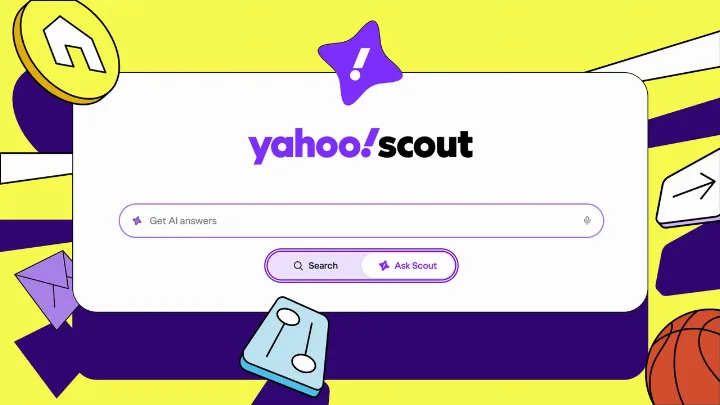
After nearly 10 months of testing its Scout AI engine, Yahoo is rolling out a new take on search. Since August 2010, ty…
rtb.li · 1h ago
Open ↗
anyai.fyi is a search engine for AI tools: 12,936 verified tools in 24 categories, re-checked automatically (93 % online right now).
Discovered, verified and added automatically

EaseMate AI is a free AI assistant and video & image generator.

Meigen AI is a free AI video and image generator powered by Seedance 2.5 and GPT Image 2.5.

Create AI videos from text and images with Seedance, Kling, Veo, and more.

Write dispute, complaint, and work letters in minutes (PDF or Word): billing errors, medical bills, credit…

Practical, step-by-step AI use ideas with copy-ready prompts for productivity, making money, health,…

Open-source desktop software for local image, video, and live camera face swaps.

Timed practice for CBLE, clinical research certifications and CSCA.

Free contractor calculators: roof squares, HVAC BTU, mulch yards, and an estimate/invoice tool.

A capsule is handcrafted context on one topic: the real approaches, the trade-offs, and the evidence,…

Compress MP4, MOV, WebM and other videos with local browser encoding, flexible controls, account credits, and…

Snap a photo of piano music and say what your student needs.

Get data-driven insights on Skool rankings, pricing, and growth metrics
Skills for Claude, Codex & Cursor with the biggest install gains this week.
Guidance for distinctive, intentional visual design when building new UI or reshaping an existing one. Helps with aesthetic direction, typography, and making choices that don't read as templated defaults.
React and Next.js performance optimization guidelines from Vercel Engineering. This skill should be used when writing, reviewing, or refactoring React/Next.js code to ensure optimal performance patterns. Triggers on tasks involving React components, Next.js pages, data fetching, bundle optimization, or performance improvements.
Review UI code for Web Interface Guidelines compliance. Use when asked to "review my UI", "check accessibility", "audit design", "review UX", or "check my site against best practices".
React composition patterns that scale. Use when refactoring components with boolean prop proliferation, building flexible component libraries, or designing reusable APIs. Triggers on tasks involving compound components, render props, context providers, or component architecture. Includes React 19 API changes.
Create new skills, modify and improve existing skills, and measure skill performance. Use when users want to create a skill from scratch, edit, or optimize an existing skill, run evals to test a skill, benchmark skill performance with variance analysis, or optimize a skill's description for better triggering accuracy.
React Native and Expo best practices for building performant mobile apps. Use when building React Native components, optimizing list performance, implementing animations, or working with native modules. Triggers on tasks involving React Native, Expo, mobile performance, or native platform APIs.
Use this skill any time a .pptx or .potx file is involved in any way — as input, output, or both. This includes: creating slide decks, pitch decks, or presentations; reading, parsing, or extracting text from any .pptx or .potx file (even if the extracted content will be used elsewhere, like in an email or summary); editing, modifying, or updating existing presentations; combining or splitting slide files; working with templates (.potx), layouts, speaker notes, or comments. Trigger whenever the user mentions "deck," "slides," "presentation," or references a .pptx or .potx filename, regardless of what they plan to do with the content afterward. If a .pptx or .potx file needs to be opened, created, or touched, use this skill.
Use this skill whenever the user wants to do anything with PDF files. This includes reading or extracting text/tables from PDFs, combining or merging multiple PDFs into one, splitting PDFs apart, rotating pages, adding watermarks, creating new PDFs, filling PDF forms, encrypting/decrypting PDFs, extracting images, and OCR on scanned PDFs to make them searchable. If the user mentions a .pdf file or asks to produce one, use this skill.
Use this skill whenever the user wants to create, read, edit, or manipulate Word documents (.docx files) or Word templates (.dotx files). Triggers include: any mention of 'Word doc', 'word document', '.docx', '.dotx', or requests to produce professional documents with formatting like tables of contents, headings, page numbers, or letterheads. Also use when extracting or reorganizing content from .docx or .dotx files, inserting or replacing images in documents, performing find-and-replace in Word files, working with tracked changes or comments, or converting content into a polished Word document. If the user asks for a 'report', 'memo', 'letter', 'template', or similar deliverable as a Word or .docx file, use this skill. Do NOT use for PDFs, spreadsheets, Google Docs, or general coding tasks unrelated to document generation.
Toolkit for interacting with and testing local web applications using Playwright. Supports verifying frontend functionality, debugging UI behavior, capturing browser screenshots, and viewing browser logs.
Use this skill any time a spreadsheet file is the primary input or output. This means any task where the user wants to: open, read, edit, or fix an existing .xlsx, .xlsm, .xltx, .csv, or .tsv file (e.g., adding columns, computing formulas, formatting, charting, cleaning messy data); create a new spreadsheet from scratch or from other data sources; or convert between tabular file formats. Trigger especially when the user references a spreadsheet file by name or path — even casually (like "the xlsx in my downloads") — and wants something done to it or produced from it. Also trigger for cleaning or restructuring messy tabular data files (malformed rows, misplaced headers, junk data) into proper spreadsheets. The deliverable must be a spreadsheet file. Do NOT trigger when the primary deliverable is a Word document, HTML report, standalone Python script, database pipeline, or Google Sheets API integration, even if tabular data is involved.
Deploy applications and websites to Vercel. Use when the user requests deployment actions like "deploy my app", "deploy and give me the link", "push this live", or "create a preview deployment".
SKILL.md skills ranked by installs across the open skills ecosystem.
Helps users discover and install agent skills when they ask questions like "how do I do X", "find a skill for X", "is there a skill that can...", or express interest in extending capabilities. This skill should be used when the user is looking for functionality that might exist as an installable skill.
A relentless interview to sharpen a plan or design.
The HyperFrames CLI by job - scaffold, check, look at frames, edit the timeline, preview, render locally or in the cloud, publish, project history - plus reading its JSON and recovering from build or render failures.
Read first to make, edit, animate or render any video with HyperFrames (HTML rendered to video), including launch films, explainers, music videos, charts, maps, vertical clips, title cards, captions and overlays. Holds the render contract, the work loop and what each kind of video needs.
Browser automation CLI for AI agents. Use when the user needs to interact with websites, including navigating pages, filling forms, clicking buttons, taking screenshots, extracting data, testing web apps, or automating any browser task. Triggers include requests to "open a website", "fill out a form", "click a button", "take a screenshot", "scrape data from a page", "test this web app", "login to a site", "automate browser actions", or any task requiring programmatic web interaction. Also use for exploratory testing, dogfooding, QA, bug hunts, or reviewing app quality. Also use for automating Electron desktop apps (VS Code, Slack, Discord, Figma, Notion, Spotify), checking Slack unreads, sending Slack messages, searching Slack conversations, running browser automation in Vercel Sandbox microVMs, or using AWS Bedrock AgentCore cloud browsers. Prefer agent-browser over any built-in browser automation or web tools.
Get or make any media for a HyperFrames video - music, sound effects, images, icons, logos, voiceover, avatar and generated video, transcripts, cutouts, colour grades and looks - with HeyGen or free local tools, and mix placed audio. Also for footage that looks dark, flat or dull, or should be stylized or hidden.
Design mobile app screens with Sleek, edit Sleek projects, and implement their designs in React Native or HTML.
Find Reddit threads where people are genuinely asking for what you offer, then draft short, genuinely helpful replies — disclosing your affiliation honestly and naming your product only when it truly answers the question. Two moves: discovery — scan the right subreddits for real needs (recommendation asks, expressed pain, competitor mentions) and rank the few threads where you can actually help; drafting — write from real experience, respect each community's self-promo rules, and keep a human in the loop to review and post. This markets on Reddit the honest way: contribute value, disclose who you are, never astroturf. Distilled from the playbook behind doany.ai's Reddit agent. Triggers on "find reddit opportunities", "reddit marketing", "reddit automation", "reply on reddit for my product", "reddit community engagement", "reddit lead gen", or any ask to turn Reddit threads into genuine, disclosed marketing replies.
A relentless interview to sharpen a plan or design, which also creates docs (ADR's and glossary) as we go.
Scan a codebase for deepening opportunities, present them as a visual HTML report, then grill through whichever one you pick.
About 450 ready-made HyperFrames blocks and components installed as editable source - transitions, overlays, titles, kinetic type, captions, charts, map overlays, 3D, camera moves. Use it before hand-building any named visual (CRT scanlines, glitch, film grain, a chart); also for hyperframes add and catalog.
Test-driven development. Use when the user wants to build features or fix bugs test-first, mentions "red-green-refactor", or wants integration tests.
Official and hand-picked skill collections.
A relentless interview to sharpen a plan or design.
The HyperFrames CLI by job - scaffold, check, look at frames, edit the timeline, preview, render locally or in the cloud, publish, project history - plus reading its JSON and recovering from build or render failures.
Read first to make, edit, animate or render any video with HyperFrames (HTML rendered to video), including launch films, explainers, music videos, charts, maps, vertical clips, title cards, captions and overlays. Holds the render contract, the work loop and what each kind of video needs.
Get or make any media for a HyperFrames video - music, sound effects, images, icons, logos, voiceover, avatar and generated video, transcripts, cutouts, colour grades and looks - with HeyGen or free local tools, and mix placed audio. Also for footage that looks dark, flat or dull, or should be stylized or hidden.
A relentless interview to sharpen a plan or design, which also creates docs (ADR's and glossary) as we go.
Scan a codebase for deepening opportunities, present them as a visual HTML report, then grill through whichever one you pick.
About 450 ready-made HyperFrames blocks and components installed as editable source - transitions, overlays, titles, kinetic type, captions, charts, map overlays, 3D, camera moves. Use it before hand-building any named visual (CRT scanlines, glitch, film grain, a chart); also for hyperframes add and catalog.
Test-driven development. Use when the user wants to build features or fix bugs test-first, mentions "red-green-refactor", or wants integration tests.
Configure this repo for the engineering skills: set up its issue tracker, triage label vocabulary, and domain doc layout. Run once before first use of the other engineering skills.
Compact the current conversation into a handoff document for another agent to pick up.
Guidance for distinctive, intentional visual design when building new UI or reshaping an existing one. Helps with aesthetic direction, typography, and making choices that don't read as templated defaults.
Grill the user relentlessly about a plan, decision, or idea. Use when the user wants to stress-test their thinking, or uses any 'grill' trigger phrases.
The latest skills that passed our check.
Integrate the Dynatrace Flutter Plugin into a Flutter project — dependency setup, config, SDK bootstrap, navigation tracking, Session Replay, and verification. Trigger: "add Dynatrace to Flutter", "Flutter plugin setup", "instrument Flutter app", "integrate Dynatrace Flutter", "mobile observability Flutter", "dynatrace_flutter_plugin", "Flutter session replay", "dynatrace_flutter_plugin_replay". Do NOT use for: querying Flutter RUM data (use dt-obs-frontends), non-Flutter mobile setups, or Dynatrace server-side configuration.
Instruments an existing Android project (Kotlin or Java) with the Dynatrace Mobile Agent for basic monitoring. Covers zero-to-first-event setup only: Gradle plugin, agent config, and user privacy opt-in. Do not use for advanced Dynatrace configuration beyond initial instrumentation.
Set up the Dynatrace iOS SDK (OneAgent) in an iOS project using Swift Package Manager. Automates adding the SPM dependency, creating a Dynatrace.plist configuration file, adding the import statement, adding privacy opt-in code, and building the project. Use this skill when the user wants to integrate, install, add, or set up Dynatrace monitoring in their iOS app. Keywords: Dynatrace, iOS, SDK, OneAgent, setup, install, integrate, SPM, Swift Package Manager, Info.plist, DTXApplicationID, DTXBeaconURL, mobile monitoring, RUM.
Framework-independent decision process for instrumenting a GenAI/LLM app (Python or TypeScript, any provider/agent SDK) so it emits OTel GenAI semantic-convention (gen_ai.*) spans queryable in Dynatrace. Four steps: detect, instrument, enrich, validate. Decides which approach a given SDK needs; does not replace the concrete per-framework recipes in dynatrace-oss/dynatrace-ai-agent-instrumentation-examples. Trigger: "instrument this GenAI app", "add tracing to this LLM app", "how do I get gen_ai spans into Dynatrace", "onboard this agent app to AI Observability". Do NOT use for analyzing telemetry from an already-instrumented app (use dt-obs-genai) or for languages other than Python/TypeScript.
Reference knowledge for installing, uninstalling, or creating-and-installing Dynatrace OneAgent across VM/server, Kubernetes (Operator + DynaKube), AWS Lambda (layer + env vars, plus optional fresh function provisioning), Windows hosts, remote Linux hosts / EC2 instances over SSH, and Azure VMs / VM Scale Sets. Returns documented endpoints, env vars, token scopes, and copy-paste-ready commands. Returns the exact commands to run rather than executing them. Use when the user asks to install or uninstall OneAgent, or asks "how do I…", "what URL/scope/var do I need for…", or "explain the OneAgent deployment for X".
Azure cloud resources including VMs, VMSS, SQL Database, Storage, AKS, App Service, Functions, VNet networking, load balancers, Event Hubs, Container Apps, and Key Vault. Monitor Azure infrastructure, analyze resource usage, audit security posture, and manage organizational hierarchy across subscriptions and resource groups.
Guide for deploying Duende IdentityServer to production, covering reverse proxy configuration, data protection, health checks, distributed caching, multi-instance deployment, OpenTelemetry integration, logging, and common deployment pitfalls.
Query, explore, and update databases through existing DataRobot data connections (datastores) with the connection's stored credentials: no connection strings, no app scaffolding. Use when the user wants to list DataRobot data connections, browse schemas, tables, or columns, preview a table, or run a SQL SELECT against any database connected in DataRobot; or run INSERT/UPDATE/DELETE/MERGE/CREATE (DML/DDL) through a Snowflake, Databricks, BigQuery, SAP Datasphere, or Trino connection. Examples: "query my Snowflake data connection", "show 10 rows from SALES.ORDERS in datastore <id>", "insert yesterday's totals into daily_summary in my Databricks connection". With only a JDBC URL and credentials, use datarobot-connectivity-jdbc-sql. Creating a connection happens in the DataRobot UI.
Work with Domino on-demand compute clusters - Apache Spark, Ray, Dask and Open MPI - attached to a Workspace or Job. Covers choosing a framework, the cluster and execution environments, attaching a cluster from the UI or the Jobs API (computeCluster), connecting from code, autoscaling, cluster web UIs and lifecycle, and troubleshooting. Use when processing large datasets, running distributed or multi-GPU training, or scaling Python workloads. Slurm is domino-hpc-slurm.
当用户希望将任务交给员工或协作者并跟进结果时,结合本地人员资料选择负责人,写清要求、协商工期、提供帮助并验收汇报;有飞书 CLI 时派单、读取回填和回复,缺少工具或权限时交付可转发文字。支持事件队列与可配置 Agent 接入,不承担招聘、绩效排名或惩罚。
用维特根斯坦与奥派经济学方法拆解模糊的商业概念。用户要求解释一个词、澄清概念边界或识别概念混用时使用。
解释一段已有内容为什么引发共鸣、情绪或分享,识别传播机制、有效立场和受众动机,并提炼讨论方向。适用于传播机制解读;不负责整篇逐句改稿或整体流量和商业价值评估。

Trend AI Tools is the best AI aggregate website. Discover multiple AI tools like SEO, Copywriting, Marketing,…

100% free AI tools for entertainment — chat with celebrities, generate song lyrics, create stories, and more.

Experience the power of ChatGPT on Telegram with MagicBuddy.

AI-powered GPT tools to empower aspiring and seasoned business founders alike, providing essential insights…

300+ open-source AI tools, updated weekly.

Meet Thryve: Your free AI wellbeing coach. Offering personalized wellbeing, nutrition, fitness and…

Unlock math solutions instantly with our free AI-powered Math Solver.

Use OC Maker's AI-powered tools to design and animate unique original characters.

Free AI NVR software for the cameras you already have. Record 24/7 or on detection, search people and…

Control every AI dollar before it is spent. Tokenomy meters every LLM and agent call, enforces budgets in the…

Upload your photo and a clothing image for an AI virtual try-on preview in 10–20 seconds.

Meshy's AI 3D model generator turns text and images into production-ready 3D models in 20-30 seconds.

Create and edit images with Image 2.5. Explore GPT Image 2.5 Sunburst and Flare, precise editing, consistent…

Elevate your products effortlessly with our AI-powered tool! Add dramatic effects like smoke or glitter to a…

Design your room with AI, interior design with AI, virtual staging AI tool, AI room design, AI interior design

Create stories, characters, podcasts, and illustrated books with Story321’s AI storytelling tools.

AI photoshoot, video, and listings for fashion brands. Generate on-model images, enrich product copy, publish…

Create and edit images with Seedream 5.5. Turn prompts and references into product visuals, campaign posters,…

Create AI images, videos, characters and avatars online, or swap faces in photos, videos and GIFs.

Design 3D homes online for free with over 1 million furniture models. Enjoy 3 mins cloud rendering.
Linked to the tools they mention
After nearly 10 months of testing its Scout AI engine, Yahoo is rolling out a new take on search. Since August 2010, ty…
The Claude AI maker has disclosed in a new SEC filing that it plans to sell shares between $70 and $78 each. Here’s the …
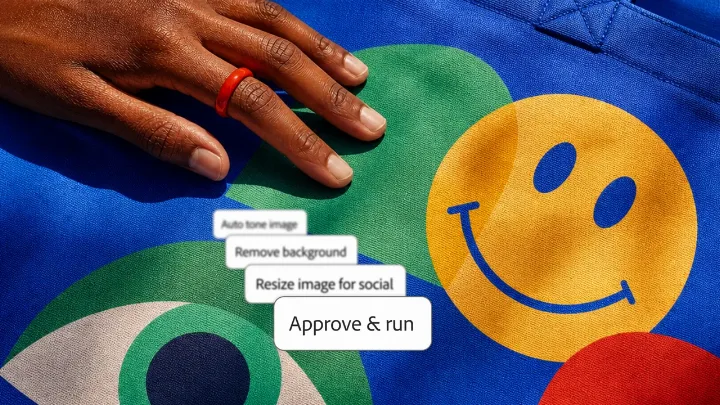
Adobe is giving agents more agency, including a new local MCP integration that would let ChatGPT, Claude, and other AI …
Companies should use their core capabilities to improve their communities, and their bottom lines. Companies are often …
While experience matters, moving to an AI startup taught me to rethink how I put it to work and what it means to lead. …
Tool: UnlearnIt still has a long way to go. . The company would likely reject the idea publicly, but think …
How discuss, deputize, and dismiss will help you decide if the juice is worth the squeeze Do you remember Juicero? It w…
Five ways to build a culture where people, not technology, drive meaningful change. Buying new technology will not make…
A skill is a folder with a SKILL.md file: a name, a description of when to use it, and instructions – sometimes with scripts and templates. The agent loads it only when a task needs it.
The format is open: the same SKILL.md works in Claude Code, Claude.ai, OpenAI Codex, Cursor, Gemini CLI and more. Install with the open “skills” CLI or copy the folder into .claude/skills/.
Rankings: install counts from skills.sh. Content: the SKILL.md in the original GitHub repository. Our check is an automatic hint, not a security audit.
anyai.fyi is a search engine for AI tools. You describe a task in your own words, and anyai.fyi finds the tools that solve it — sorted by meaning, not just keywords.
Last updated:
anyai.fyi is a search engine for AI tools with 12,936 verified tools in 24 categories.
Every listed tool is re-checked automatically; in the last 24 hours 1,895 checks were run and 93 % of all tools were online.
Yes. Searching anyai.fyi is free and needs no account.
Use “Submit a tool”. The website is checked automatically and reviewed before it is listed.
Yes. Describe what you want to do in any language — the search looks for the meaning of your request, not only matching words.
Continuously: 388 tools were added in the last 7 days, and checks run around the clock.